Before The Appointment Even Starts: How Digital Task Lists Improve Patient Preparation
For many practices, the appointment doesn’t really begin when the patient sits in the chair, it begins days earlier. Or at least, it should.
When patients arrive unprepared, unsure, or missing information, the impact is felt immediately. Reception teams scramble to collect forms, clinicians face delays, and the carefully planned schedule starts to slip. Often, this isn’t due to poor communication, but because information and actions are scattered across emails, SMS messages, and paper processes.
Digital task lists, delivered through a modern patient portal, help change that, shifting preparation before the appointment and creating a calmer, more predictable day for practices and patients alike.
The Hidden Cost of Poor Patient Preparation
Even small gaps in preparation can have large effects on practice efficiency. Common challenges include:
- Incomplete or outdated medical history forms
- Patients forgetting to confirm appointments
- Last‑minute questions at the desk
- Delays at arrival while tasks are completed
These issues often surface at the busiest moments, placing unnecessary pressure on front‑of‑house teams and contributing to patient frustration.
At the same time, patients may not realise what they need to do ahead of their visit or why it matters. Without clear guidance, preparation becomes inconsistent.
Why Messaging Alone Isn’t Enough
Automated reminders and messages are essential, but on their own they don’t always drive action.
A reminder can tell a patient something needs to be done, but it doesn’t always show:
- What the task is
- Where to complete it
- What happens if it’s left unfinished
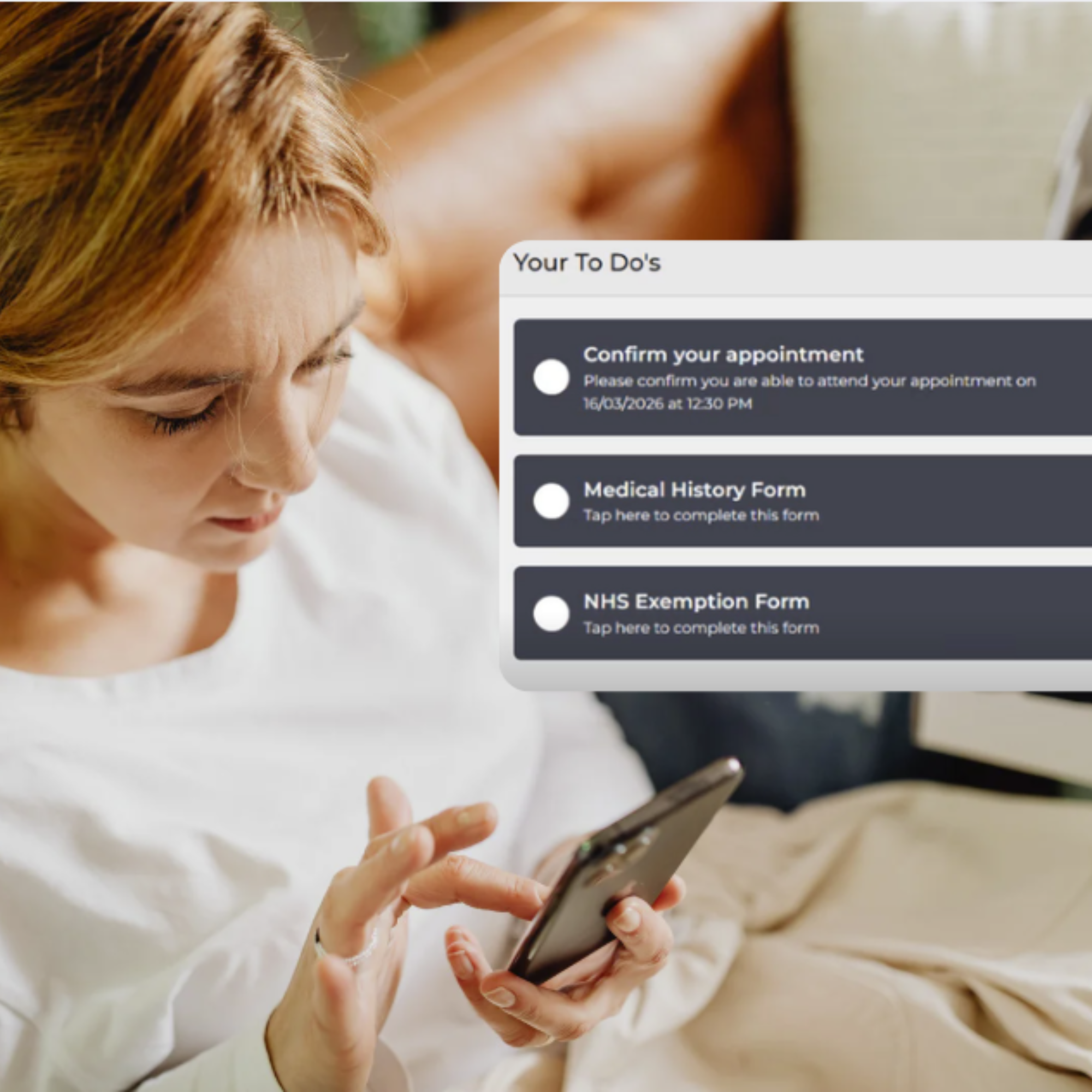
Digital task lists go one step further. Rather than sending scattered instructions, they present patients with a clear checklist of actions that guide them through preparation step by step.
What Are Digital Task Lists?
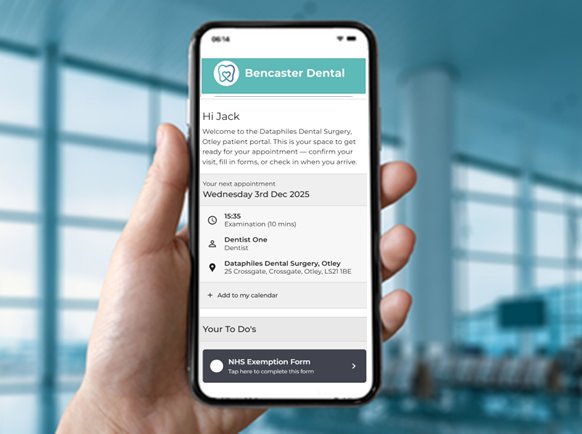
Digital task lists are a structured set of actions presented to patients through a secure patient portal. They replace vague instructions with clarity and context.
Instead of multiple messages, patients see:
- A single portal
- A simple “to‑do” list
- Tasks that appear at the right time
Each task links directly to the action required, such as completing a form or confirming attendance, removing friction and confusion.
How Digital Task Lists Improve Patient Preparation
1. Clear Expectations from the Start
When patients know exactly what’s expected of them, they’re far more likely to complete tasks ahead of time.
Digital task lists clearly show:
- What needs to be done
- When it needs to be completed
- Whether a task is still outstanding
This removes uncertainty and reduces the need for follow‑up calls or explanations.
2. Better Completion of Forms Before Arrival
Pre‑appointment digital forms are far more effective when they’re part of a guided workflow.
By embedding forms into a task list:
- Patients are prompted at the right moment
- Completion rates increase
- Less paperwork is left for the day of the appointment
For practices, this means fewer bottlenecks at reception and more accurate information available before the patient is seen.
3. Reduced Last‑Minute Admin at Reception
Every incomplete task that’s carried into the appointment day adds pressure at the desk.
Digital task lists help shift that workload earlier, so that:
- Routine admin is handled remotely
- Arrival becomes quicker and calmer
- Reception teams can focus on patients who need support
This is particularly valuable during peak times, when even small delays can cascade through the schedule.
4. Improved Appointment Confidence for Patients
Preparation isn’t just about paperwork; it’s also about reassurance.
When patients can see that they’ve completed everything required, they arrive feeling:
- More confident
- Less anxious
- Clear on what’s happening next
This can be especially important for patients who are nervous or unfamiliar with practice processes.
Connected Tasks, Connected Journey
Digital task lists work best when they’re part of a broader, connected patient journey.
Within the Patient Bridge Patient Portal, tasks aren’t isolated actions. They link directly to:
- Appointment confirmations
- Digital forms
- Arrival workflows
- The Virtual Waiting Room
Because everything sits in one portal, patients don’t need to search emails, follow multiple links, or repeat information. Each completed task naturally leads to the next step in the journey.
Visibility for Practices, Not Just Patients
Digital task lists don’t only benefit patients; they provide valuable insight for practices too.
As patients complete tasks, updates are visible in real time, helping teams:
- See who is prepared ahead of time
- Identify outstanding actions early
- Prioritise follow‑up where needed
This visibility supports better planning and fewer surprises on the day.
From Preparation to Arrival and Beyond
When patients are prepared before they arrive, the entire appointment flows more smoothly.
Digital task lists lay the groundwork for:
- Faster arrivals
- More focused interactions
- Reduced waiting times
- Better utilisation of staff time
For practices using advanced arrival workflows, preparation also sets the stage for digital check‑in, extending the journey seamlessly from pre‑appointment tasks to arrival itself.
A Simple Change with a Big Impact
Improving patient preparation doesn’t require more messages or more admin. It requires clearer guidance and better timing.
Digital task lists provide both:
- Clarity for patients
- Control and visibility for practices
By shifting preparation before the appointment even begins, practices can reduce friction, improve flow, and deliver a more confident patient experience, starting long before the patient walks through the door.