One Portal, One Journey: How Patient Bridge Is Unifying Patient Interactions
Patient interactions don’t start and shouldn’t end at the reception desk.
For many practices, the patient journey still feels fragmented. Appointments are booked in one place, forms are completed elsewhere, reminders arrive through multiple channels, and arrival often relies on manual check‑ins at the front desk. While each step may work on its own, together they can create confusion for patients and unnecessary pressure for practice teams.
The new Patient Bridge Patient Portal changes that. By bringing key interactions into one clear, secure experience, Patient Bridge is helping practices move from disconnected touchpoints to a single, unified patient journey from booking through arrival and beyond.
Why the Patient Journey Matters More Than Ever
Patient expectations have changed. Across industries, people are used to managing tasks digitally, on their own devices, at a time that suits them. Dental practices are no exception.
When the patient journey is unclear or fragmented, it can lead to:
- Repeated questions and clarification calls
- Patients arriving unprepared or unsure of what to do
- Busy reception teams managing routine admin instead of focusing on patient care
- Increased stress for patients, particularly during arrival
A unified digital journey helps remove this friction. It gives patients clarity and confidence, and it gives practices better visibility and control over the day ahead.
At the heart of that journey is the patient portal.
From Touchpoints to One Connected Journey
Traditionally, patient communication has focused on individual touchpoints: a reminder SMS here, a digital form there, a confirmation message somewhere else. While useful, each interaction exists in isolation.
Patient Bridge takes a different approach.
Instead of standalone messages, the Patient Portal connects these touchpoints into a step‑by‑step journey. Patients are presented with clear actions at the right time—before the appointment, on the day, and after—through one consistent portal experience.
This shift from “messages” to “journey” is what makes the difference.
What “One Portal” Means for Patients
For patients, “one portal” isn’t about technology. It’s about simplicity.
Clear Pre‑Appointment Tasks
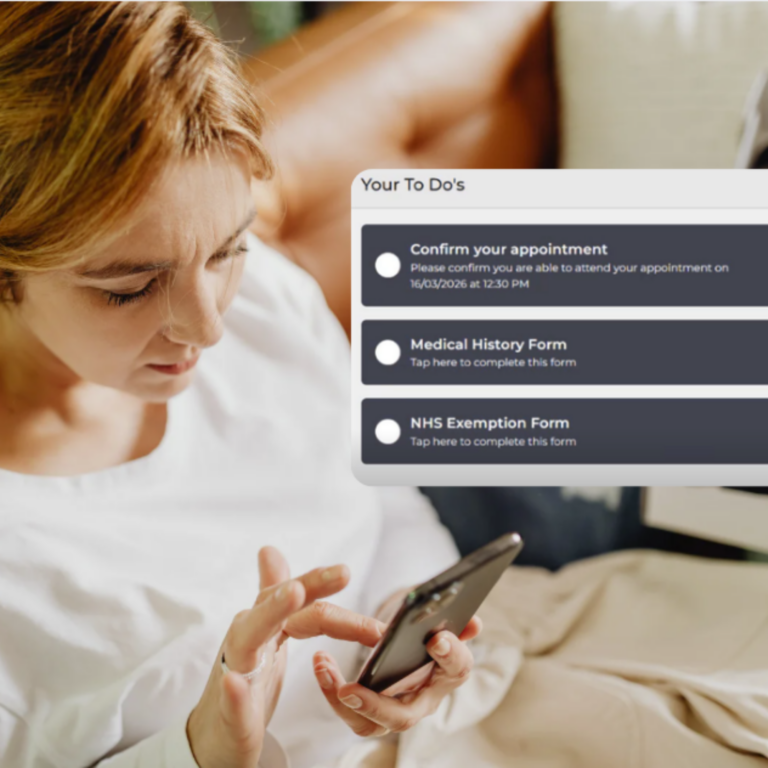
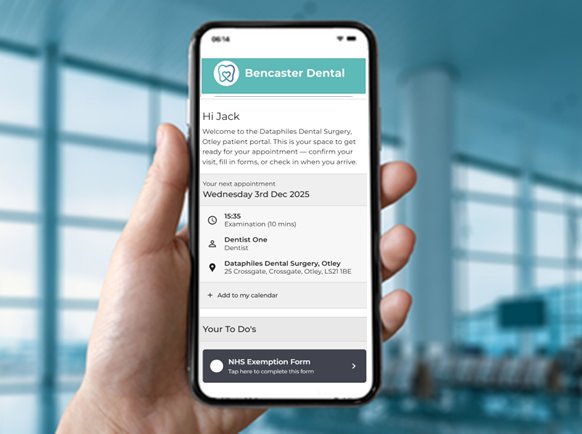
As soon as an appointment is booked, patients can access a personalised portal that shows exactly what they need to do before their visit.
This may include:
- Confirming attendance
- Completing digital forms
- Reviewing upcoming appointment details
- Preparing for their visit
Tasks are presented clearly in a simple to‑do list, reducing uncertainty and back‑and‑forth communication.
Patients arrive knowing they’ve done what’s required, and practices see the benefit in smoother, more predictable clinics.
Simple, Secure Access Without Barriers
A portal is only effective if patients can access it easily.
The Patient Bridge Patient Portal:
- Does not require patients to create an account
- Uses secure links shared by SMS or email
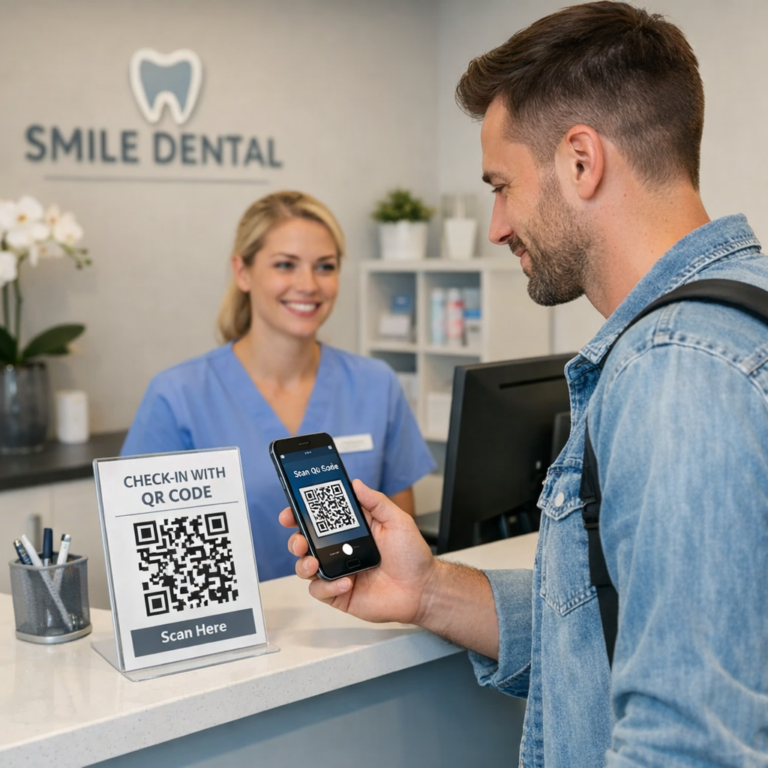
- Allows access via QR code in practice if needed
- Works on the patient’s own device or a practice device
This low‑friction approach reduces drop‑off, minimises support needs, and ensures accessibility for all patient groups.
Confidence from Booking to Arrival
When patients know where to go, what to do, and what’s expected, the entire experience changes.
A unified portal helps:
- Reduce arrival anxiety
- Minimise confusion at reception
- Improve first impressions of the practice
- Create a calmer, more organised start to the appointment
This clarity is especially valuable for patients with dental anxiety or additional needs.
What One Portal Means for Practices
Behind the scenes, a unified patient journey delivers tangible operational benefits.
Greater Visibility, Less Guesswork
When patients confirm appointments or complete tasks through the portal, updates are visible to the practice in real time via the Virtual Waiting Room and Practice Management System.
This gives teams:
- Better awareness of who is attending
- Clear insight into completed and outstanding tasks
- Fewer inbound calls asking for confirmation
With more information at a glance, teams can focus on managing the day instead of reacting to it.
Reduced Pressure at Reception
Reception teams often carry the burden of manual intake: checking patients in, confirming details, chasing forms, and answering routine questions.
By shifting these routine steps into the patient portal:
- Arrival conversations become shorter and more focused
- Privacy is improved when sensitive details are handled digitally
- Staff have more time for patients who need personal attention
The result is a calmer front‑of‑house experience for both staff and patients.
QR Codes: Supporting Digital Access in Practice
To support flexibility on the day, the Patient Bridge Patient Portal includes QR code access.
Practices can display a QR code on screen or in print, allowing patients to:
- Open their personalised portal instantly
- Complete outstanding forms on arrival
- Access the same portal experience without searching links
QR codes work on patient devices and practice‑owned devices, ensuring no one is excluded and staff can assist when needed.
Bringing Arrival into the Digital Journey
While booking, forms, and confirmations often happen before the appointment, arrival has traditionally remained manual.
This is where the patient journey often breaks.
For practices using Patient Bridge Premium, online self check‑in extends the portal experience into arrival itself.
With self check‑in:
- Patients confirm arrival on their own device
- Arrival status updates instantly for the practice team
- Queues at reception are reduced
- Teams gain real‑time visibility without disruption
Rather than replacing staff interaction, self check‑in removes repetitive steps allowing staff to focus on meaningful, high‑value conversations with patients.
One Experience That Grows with Your Practice
Not every practice is at the same stage of digital adoption, and Patient Bridge is designed with that in mind.
Practices can:
- Start by improving patient communications and digital forms
- Introduce structured pre‑appointment workflows
- Add online booking, payments, and referrals
- Extend the journey to include self check‑in when ready
All of this happens within the same portal and platform, without switching systems or retraining teams.
Whether a practice uses Patient Bridge Essentials or chooses to unlock additional capabilities with Premium, the experience remains consistent for patients and staff.
One Portal, One Journey
By unifying booking, forms, messaging, and arrival into a single patient portal, Patient Bridge helps practices deliver a clearer, calmer, and more modern patient experience.
For patients, it means confidence and control.
For practices, it means visibility, efficiency, and smoother days.
One portal. One journey. Built to support better experiences for everyone.